.svg)
.svg)

The Real Time Sink in a Dispute Isn't the Customer, It's the Digging
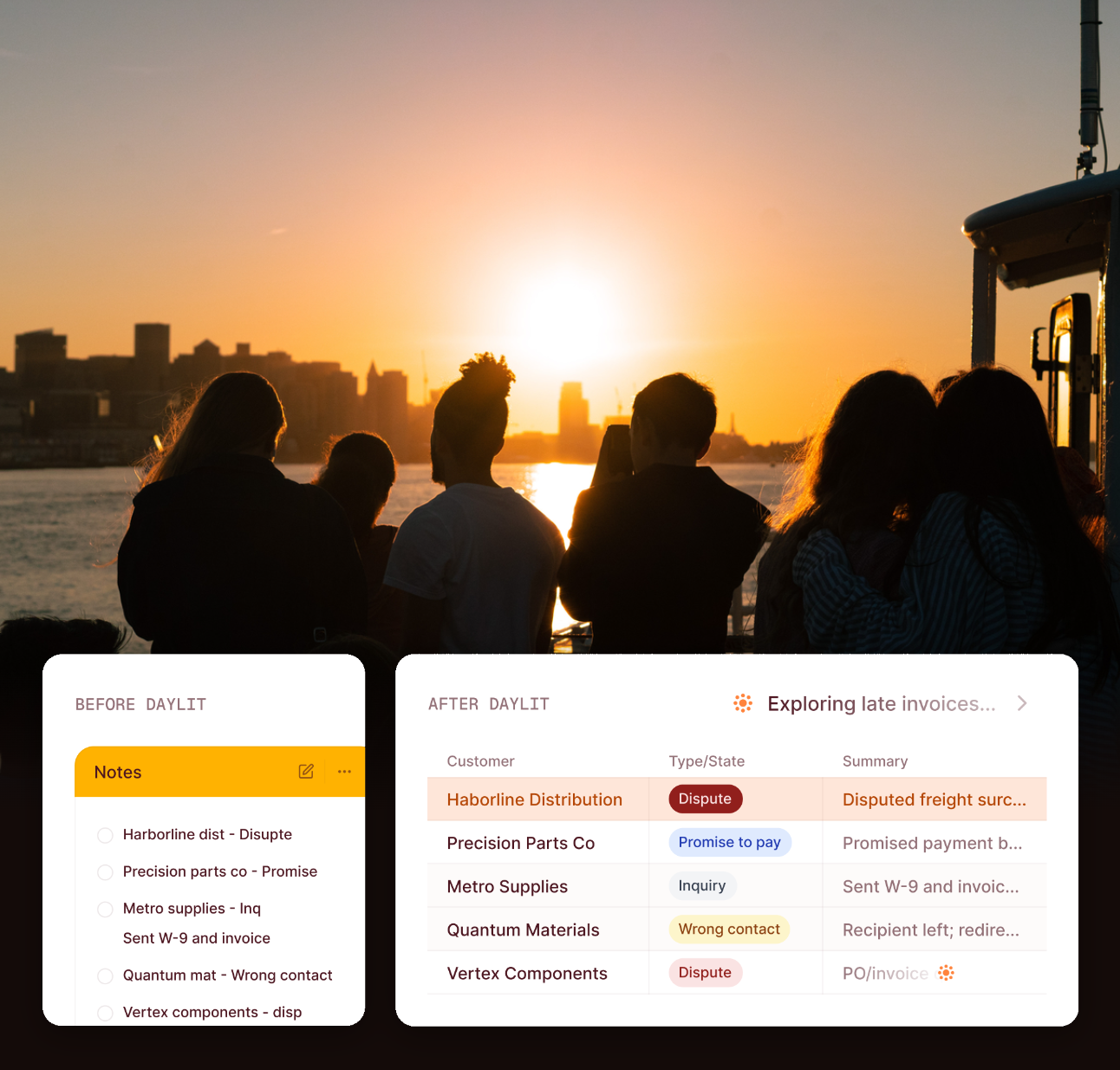
When a customer disputes a charge or promises to pay, the actual bottleneck usually isn't waiting on them — it's everything your team has to do first. Reading through the thread. Copying notes into the system of record. Figuring out the right internal process, all before anyone even follows up. As we've covered before, disputes often sit unresolved for days simply because no one owns them — and even once someone does pick it up, most of that time goes into the digging, not the actual resolution.
That distinction matters more than it sounds like it should. If the bottleneck were really the customer — waiting for them to respond, waiting for them to pay — there wouldn't be much you could do about it beyond following up more often. But that's not usually what's happening. What's actually eating your team's day is the work that happens before any of that: reconstructing what's already known about a case every single time someone touches it.
Why That Manual Work Never Gets Fixed on Its Own
Here's the part that's easy to miss: what's happening right now is a hidden pattern, not a discipline problem. Your collectors are spending over 50% of their day copying and pasting the same notes within your system, then chasing down whoever internally can resolve the case. It's the same workflow, repeated case after case, just never written down as one.
That repetition exists because of a few specific gaps that don't show up on a dashboard, but show up constantly in the day-to-day:
- There's no durable record of the case itself. When a customer commits to pay on a specific date, that promise doesn't live anywhere real — it's in the collector's head, a side spreadsheet, or a note buried in an email thread.
- Dunning fires blind. Even when a customer is mid-dispute or has already promised payment, your automated reminders can still send another past-due notice, because nothing tells the scheduler to pause.
- Classified intent has nowhere to land. Even when your team correctly identifies what an inbound message actually is, that classification usually doesn't get captured anywhere — it gets re-figured-out the next time someone looks at that customer.
Every day a case sits unresolved because of this is also a day added to your DSO, and the risk of that balance eventually getting written off climbs the longer it drags on. None of this is really about effort. It's about the fact that the same diagnostic work — what is this, who owns it, what happens next — gets done manually, from scratch, every single time.
What Actually Happens When a Case Opens
It's worth walking through what this looks like in practice, because the mechanics are simpler than the problem they solve.
Say a customer replies to an invoice saying the quantity billed doesn't match what they received. Today, without a system for this, someone on your team reads that email, decides it's a dispute, and then has to figure out — from memory, or by asking around — what usually happens next for a case like this. None of that is written down anywhere a system can act on.
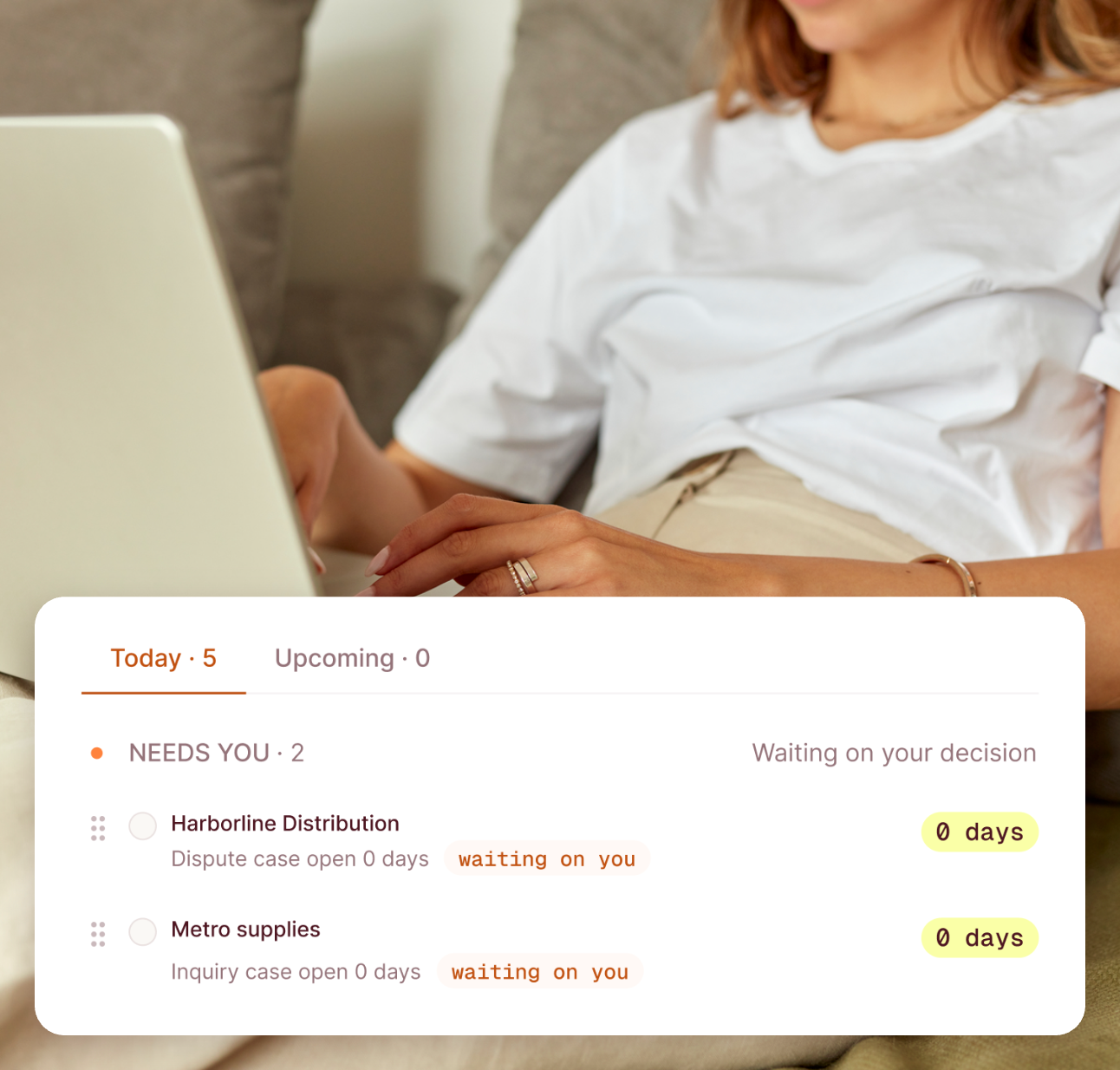
With Collection Cases, that same email creates a case. The case is typed as a Dispute. Because a default sequence is already assigned to that case type, a suggested next step is sitting there the moment the case opens — no one has to reconstruct the process, because the process was already decided once, in advance, for every case of that type. Your team reviews the suggestion and confirms it with one click. While that case stays open, other dunning reminders pause automatically on the related invoice, so the same customer who just told you about a billing error doesn't also get a past-due notice three days later.

The Five Kinds of Cases You're Already Handling by Hand
Collection Cases doesn't invent new categories of AR work — it gives structure to work you're already doing, just without a name for it. Every case falls into one of five types:
- Dispute — the customer is pushing back on a charge, quantity, or price.
- Promise to pay — the customer has committed to a payment date, and that commitment needs to be tracked and followed up on if it slips.
- Inquiry — the customer has a question that needs an answer before anything else can move forward.
- Wrong contact — the person you've been reaching isn't the right one, and the case needs to be rerouted.
- Other actionable — anything that needs a next step but doesn't cleanly fit the other four.
Each of these can have its own default sequence, meaning a Dispute and a Promise to pay don't have to be handled the same way just because they happen to involve the same invoice, or the same customer.
The Part That Stays Human: Suggestions, Not Auto-Resolution
A case still needs a linked sequence to generate that suggested step — without one, it just sits there, tracked but not moving. Then when it does move, it's a suggestion, not a decision. Your team sees it, confirms it, sends it. Less manual work for them, and the call — still theirs.
It's also worth being honest about where the current scope stops. Today, a customer can have one sequence actively driving their case work at a time — the system doesn't yet handle two entirely independent cases running in parallel on the same customer with two separate playbooks. If a customer has both an open dispute on one invoice and a promise to pay on another, that's a real situation Collection Cases doesn't have a fully separated answer for yet. It's a known edge case, not something we're pretending doesn't exist.
How Collection Cases Works in Daylit, End to End
In practice: a case gets created — from an inbound reply, a manual flag, or however your workflow starts it. The default sequence for its case type takes over from there, and your team works from a suggested action instead of starting cold every time. Opening a case shows the full communication history, whatever sequence it's enrolled in, and a running summary of what's happened, what's blocking it, and what's likely next.
That running summary matters more than it might seem. It means picking a case back up — even if you're not the person who originally opened it — doesn't mean re-reading the entire thread from scratch. Someone can hand off a case, go on vacation, or just be out sick, and whoever picks it up next isn't starting from zero.
Why This Matters Beyond Any Single Case
Cutting the manual work out of one case is a small thing on its own. What actually matters is what happens as your case volume grows. Without a system like this, more cases just means more of the same repeated diagnostic work, done by more people, with more chances for two similar cases to get two different treatments depending on who happens to open them.
With a standardized case type and sequence structure in place, that scaling problem changes shape: the goal becomes making sure the manual work per case keeps shrinking as volume grows, instead of just holding steady while your team works harder to keep up. It's not about making disputes disappear — customers will always push back on charges, and promises to pay will always sometimes slip. It's about making sure the version of your team that handles case #500 this month isn't doing meaningfully more manual reconstruction than the version that handled case #50.
Conclusion
The slowest part of a dispute has rarely been the customer — it's the digging your own team has to do before anyone even follows up: reading the thread, deciding what it is, figuring out who needs to weigh in, and remembering to actually follow through. Collection Cases doesn't remove your team's judgment from that process. It removes the part where every case starts from scratch. A dispute, a promise to pay, an inquiry — each gets a suggested next step the moment it's created, your team confirms it, and the case moves without the manual reconstruction that used to eat the first half of the work.
Frequently Asked Questions
Does Collection Cases replace my team's judgment on disputes?
No. Collection Cases suggests a next step and keeps a case moving with a default sequence, but every suggestion needs your team's review and confirmation before anything happens.
What happens if a case doesn't have a sequence attached?
It's still tracked and visible, but it won't generate an automatic suggested next step — that only happens once a sequence is linked to that case type.
Can a customer have two different cases open at the same time, like a dispute on one invoice and a promise to pay on another?
This is a known scope limit today — Collection Cases doesn't yet run two fully independent sequences on the same customer in parallel. It's an honest gap, not something addressed yet.
Does opening a case stop all reminders for that customer?
No — it pauses dunning specifically on the invoice tied to the open case, not every reminder across the customer's full account.