.svg)
.svg)
The Part Everyone Skips: Why Confidence Alone Isn't Enough
Most automation that gets quietly abandoned doesn't fail because it was wrong. It fails because nobody trusted it enough to stop double-checking it by hand.
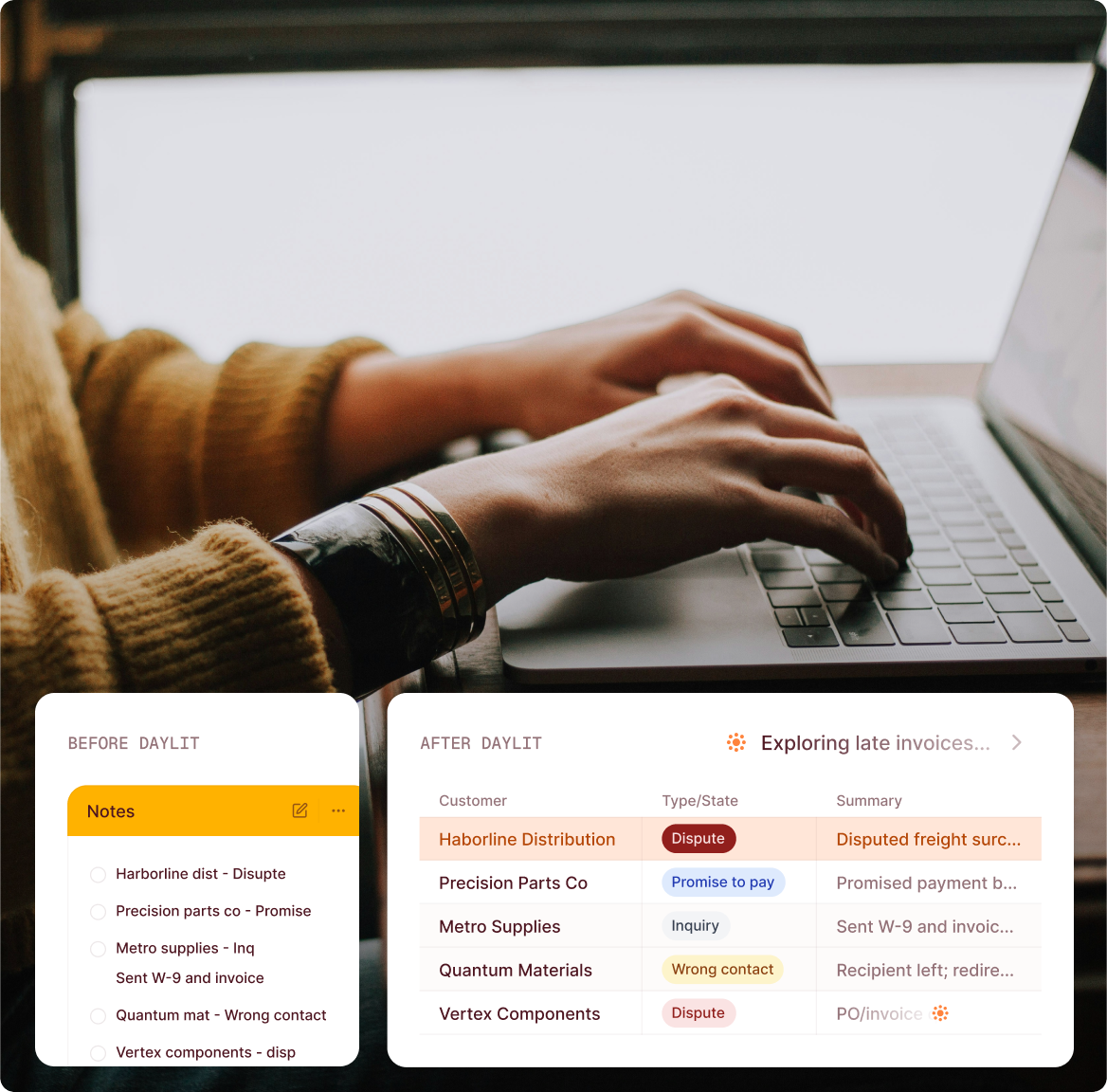
Say an AR specialist opens a case and sees a reason assigned that doesn't look right to them — maybe they just got off a call with the customer and heard something different. If all they have is a label and a confidence score, they're back to re-reading the dispute themselves anyway, which defeats the point. That's why a reason alone was never going to be enough on its own — the team also needs to see why the AI landed there before they can trust it without re-checking everything by hand.
How Dispute Reasons Work in Daylit, End to End
In practice: you define your own dispute reasons, in your own words, right alongside Daylit's built-in categories. It's not Daylit guessing at a universal list that fits every business — it's the opposite. Different companies use different terminology, policies, and standard operating procedures for classifying disputes, and no fixed, one-size-fits-all reason list adequately represents any one company's actual business. Say your team already calls a specific recurring issue a "freight claim" internally, with its own owner and its own paperwork attached to it — that's now a reason Daylit can recognize, in the words you already use for it.
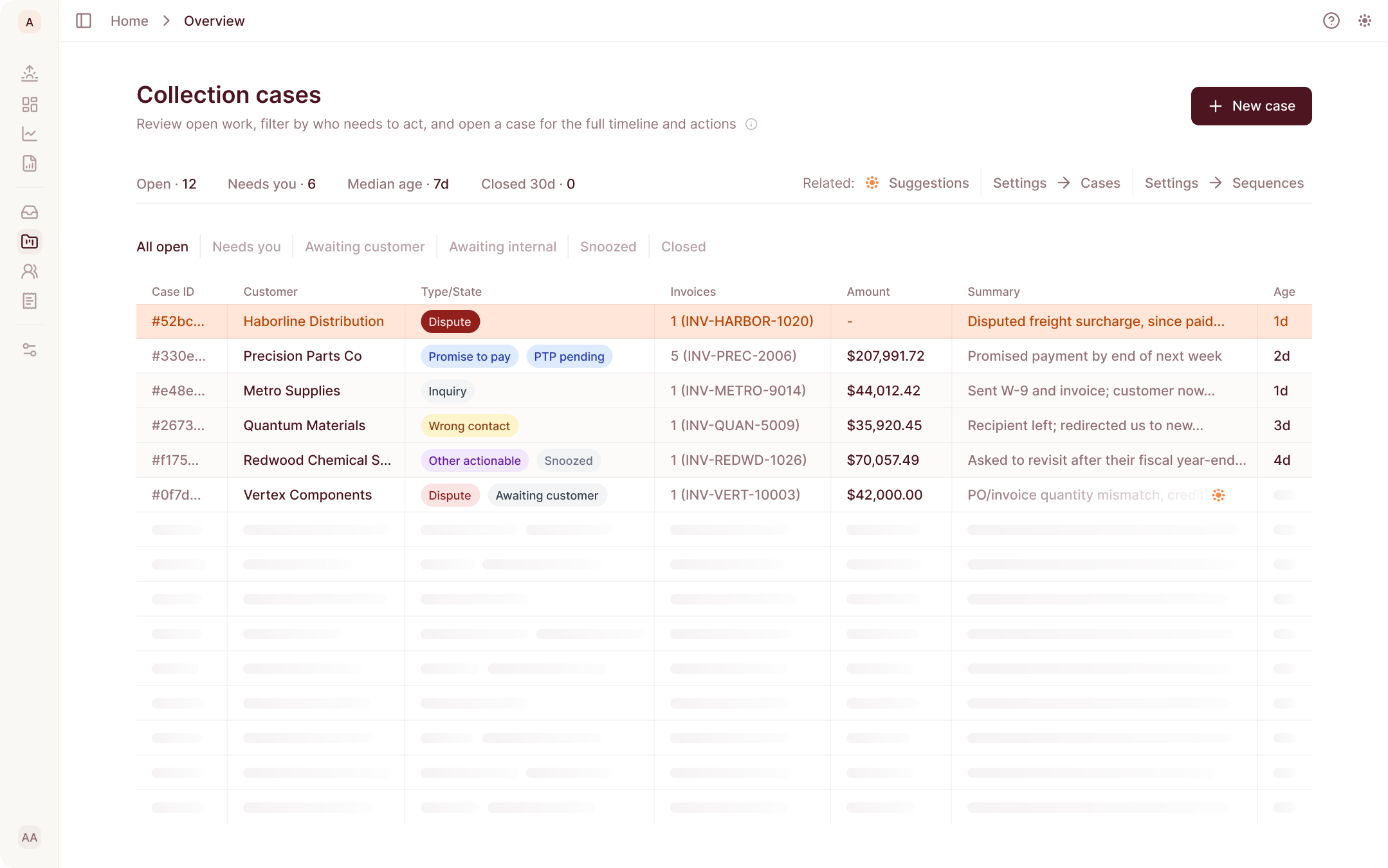
From there, Daylit's classifier reads every inbound dispute and tags it with the best-matching reason automatically, one of your own custom reasons, one of Daylit's built-in categories, or "Other" if nothing fits confidently. Go back to that $40,000 invoice with the pricing error and the short shipment: instead of one generic "dispute" tag, or two separate cases you'd have to reconcile by hand, it gets tagged with both reasons at once, on the same case. Collectors then see the assigned reason, a confidence level, and the reasoning behind it right on the case, with the final say one click away. And the tag isn't the end of it: assign a default sequence to a reason, and every future dispute classified into it comes with that sequence already suggested, so the case is pointed at the right next step, not just labeled and left sitting there.

We’ll walk through a handful of your real disputes with you and show you exactly which reason each one would get — and where a generic bucket would’ve missed it.
The Part That Stays Human: Reviewed Before It Goes Live
Before any custom reason starts classifying real disputes, your team reviews it first. Every new custom reason is calibrated against 5 example disputes, real historical ones first, with an AI-generated example only filling in when your own dispute history is too thin to pull a real one, so your team confirms the AI's understanding is correct before it publishes.
That review habit carries through everywhere else, too. No confidence score skips it: every classification, high or low confidence, is surfaced to a collector with the final say one click away. Nothing applies itself invisibly.
Why This Matters Beyond Any Single Dispute
One dispute handled well is a nice outcome. The bigger shift is what happens across your whole portfolio once disputes are actually sorted by reason instead of dumped into one bucket: patterns become visible.
Say one customer disputes pricing three times in two months. Today, that's three individual disputes, each one probably handled by whoever happened to pick it up, with no obvious reason to connect them. Once each dispute carries its actual reason, that pattern shows up immediately — and someone can look at whether it's a one-off, a data entry issue on a specific SKU, or a sign that a pricing agreement needs to be revisited before it costs you a fourth dispute.
The same logic holds at the portfolio level. If a specific reason keeps climbing as a share of total disputes — more pricing disagreements this quarter than last, say — that's a signal about where your process is breaking down, not just a number buried inside a single undifferentiated "dispute" count.
Your Dispute Categories Aren't Ours to Define
Your dispute categories were never generic, they were always specific to how your business actually works, and now Daylit can read them. Disputes only got treated as one bucket because building a system that could tell them apart was harder than not bothering.
Frequently Asked Questions
Isn't this just categorizing? Many AR tools have reason codes.
Most AR tools let you configure reason codes, that part isn't new. What's different is what happens after you define one: Daylit's AI reads every inbound dispute and classifies it against your own list automatically, including messages that raise more than one issue at once, and every new reason gets reviewed against real examples before it ever touches live traffic.
Can we see what the AI is going to do before it's live on our real disputes?
Yes. Every new custom reason goes through calibration — 5 example disputes, pulled from real history first, reviewed and confirmed or rejected by your team before the reason is published.
Does this apply to disputes that are already open?
No — classification only applies going forward. That was a deliberate scope decision for this release; backfilling existing open disputes isn't part of what shipped.
Does a custom reason come with its own resolution steps or evidence requests?
No. A custom reason decides which existing sequence a dispute routes to — it doesn't write new resolution steps or evidence requests for you. What that sequence actually asks the customer for is still whatever your team has already built into it.


